Laboratory & imaging
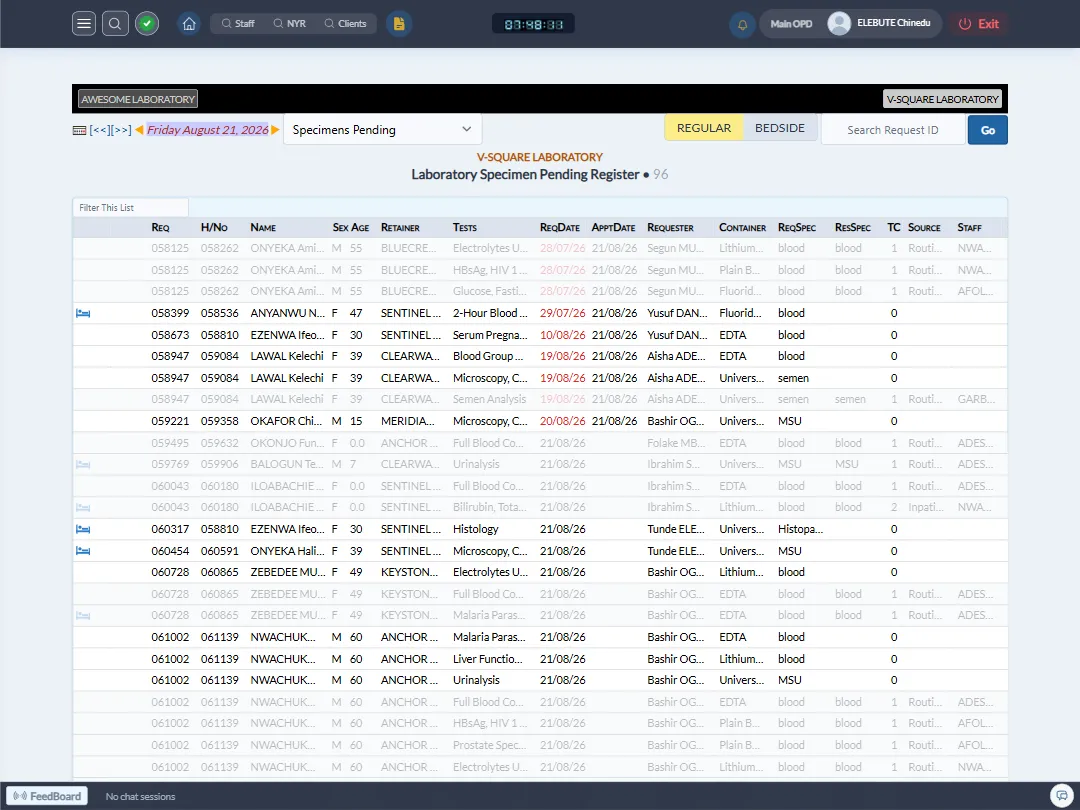
Requests and results linked straight into the encounter, with auto-generated PDF reports.
- Request baskets, like a full ANC panel, ordered in a single click
- Results and reports available to the physician from the encounter page
- Imaging reports support batch image upload alongside the written report
- Auto-generated PDF reports, ready to email to the client on request
Laboratory and imaging requests carry their clinical context with them, so results come back attached to the right encounter automatically.
What’s included
A request typically starts from the clinical encounter, with patient and physician data already populated. Frequently ordered groups of tests, such as an antenatal panel or a pre-employment screen, can be saved as request baskets and ordered in one click. Imaging reports (ultrasound, X-ray, CT and MRI) support a rich text report alongside batch-uploaded clinical images. Every report can be rendered to PDF and emailed to the client or referring physician directly from the system.
See laboratory & imaging in action.
A short walkthrough tailored to your departments, no obligation.